






Choosing grocery store price labels is a practical decision, not just a design exercise. Shoppers need to spot prices quickly, while staff need labels they can update without disrupting busy aisles. A paper shelf-edge strip may suit a small shop with frequent manual checks. Electronic shelf labels can reduce routine reprinting, but require an upfront investment and reliable setup. Produce signs, freezer tags, and promotional labels solve different problems. One format rarely fits every department.
This guide to the top 10 grocery store price labels for retailers compares options by readability, durability, update speed, and fit for specific products. It considers real details: glare on a chilled cabinet, condensation near fresh food, tiny print on a crowded shelf, and labels that peel at the corners. Clear pricing supports smoother shopping, but a polished label cannot fix inaccurate product data or poor placement. No label solves every aisle. Retailers should weigh purchase cost against maintenance, staff time, and expected lifespan. They should also check that prices remain legible from a normal viewing distance and match the item directly above or below. Those checks sound simple. They are easy to miss during a rushed reset. The strongest choice is the one that works reliably in a store’s actual conditions, even if it is not the newest or most eye-catching option.
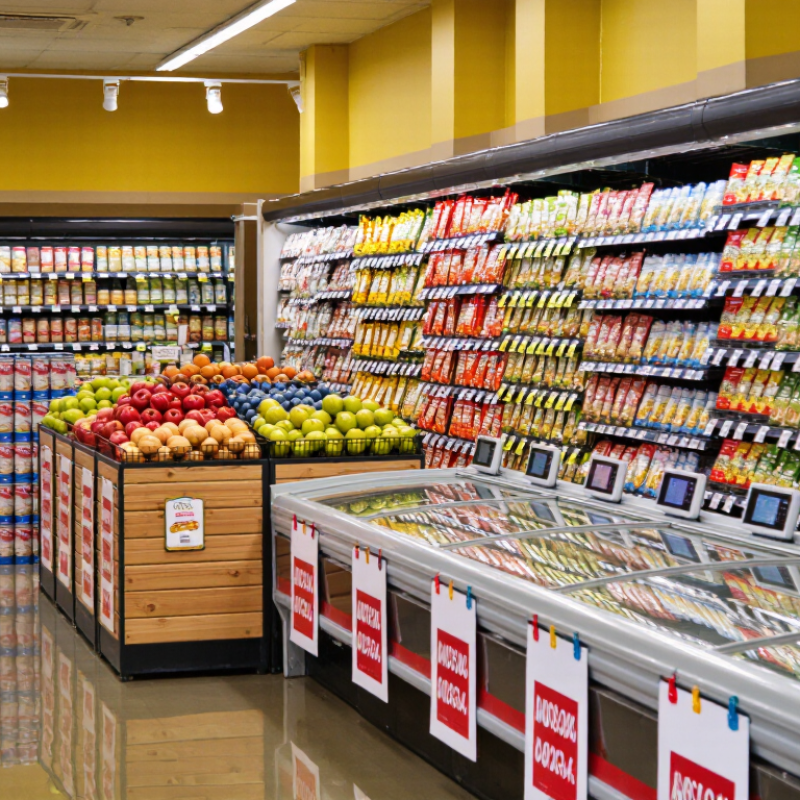
A grocery price label does more than show a number. It helps shoppers identify the item, compare sizes, and understand whether a promotion applies. Clear labels also help staff restock shelves and resolve checkout discrepancies. Small details matter. A unit price, such as cost per kilogram, can reveal that a larger package is not always the better value.
Labels should be easy to read from a normal standing distance, with product names and prices clearly separated. A cramped shelf edge can make even accurate information hard to use.
Price clarity matters when food costs change. The USDA Economic Research Service’s Food Price Outlook reported that U.S. food-at-home prices rose 5.0% in 2023, then 1.2% in 2024.
Those shifts make consistent shelf pricing useful for both shoppers and retailers. A good label should show the current price, unit of measure, and any offer conditions without forcing customers to guess. It should also match the register. That sounds basic, but it can fail during busy restocking or when temporary offers end.
Digital labels can make updates faster, yet they still need careful checks. Technology does not remove human error. Retailers should review labels regularly and test whether shoppers can compare similar products quickly. A label is a small sign, but it carries a real promise.

Retailers comparing grocery price labels should start with the shelf, not the specification sheet. Measure the rail width and check whether labels fit securely without blocking product names or stock information. View each display from the aisle, under the store’s actual lighting. Small text fails. Compare contrast, viewing angle, and screen size using prices shoppers can read at a glance.
Consider update speed, battery life, and wireless reliability together. A fast display is less useful if updates fail in crowded aisles or batteries need frequent replacement. Check whether the system connects with existing inventory and pricing software, and ask how it handles network interruptions. Test it in-store. A short pilot across chilled and dry sections can reveal glare, weak signals, or awkward installation that a desk demonstration misses.
Durability matters in busy stores. Look for housings that tolerate routine bumps and cleaning, and confirm labels remain readable near cold cases or humid produce displays. Compare replacement parts, service response, and staff training, not just the initial unit price. A cheaper label can carry higher upkeep costs. One detail is easy to overlook: mounting clips may vary between shelf types, adding labor during rollout. Record maintenance time during the pilot; estimates often prove too optimistic.
Compare common label formats by typical support for remote price updates, unit pricing, scannable codes, promotional messaging, and reuse.
Each colored segment indicates a feature commonly supported by that label format. Capabilities vary by product design and retailer specifications; this is a format comparison, not a measured performance ranking.
Grocery stores use different price labels because products move through shelves, coolers, scales, and checkout systems. Ten common types serve these everyday needs. Printed shelf-edge labels show the regular price beneath each product. Adhesive product stickers attach prices directly to packaged goods. Produce scale labels include the item name, weight, and calculated price. Unit-price labels show cost per ounce or other measure, helping shoppers compare sizes. Promotional labels highlight temporary offers, but their dates need regular checking.
Electronic shelf labels display prices digitally and can reduce manual changes. Freezer-resistant labels use adhesives designed to stay attached in cold, damp conditions. Hanging tags mark prices on displays where shelf edges are unavailable. Markdown labels show reduced prices on selected goods, often with a clear reason or date. Case and bin labels identify bulk items, such as loose fruit or bakery goods.
In practice, label choice depends on the product surface, storage temperature, and how often prices change. Staff should compare shelf labels with checkout records during routine checks. It is easy to overlook a unit-price label when package sizes change. Electronic displays can also be wrong if updates fail. No label type solves every problem, and even a neat layout may confuse shoppers when sale wording is unclear.
A price label should fit both the product and the fixture holding it. Shelf-edge strips suit packaged goods because shoppers can compare prices along a row without searching. For narrow shelves, keep the type large enough to read from the aisle. Small print may save space, but it can slow shoppers down.
Produce needs a different approach. Use sturdy cards or clip-on signs near open bins, where labels remain visible without covering the food. Chilled and frozen sections call for materials and adhesives designed for damp, cold conditions; ordinary paper may curl or loosen. For deli counters, compact cards can show price beside the product name, while hanging tags work well on baskets or irregular displays. Bulk bins often benefit from labels placed at eye level, not hidden under a scoop. Fit matters. Digital displays can help when prices change often, but they still need clear product names and consistent placement. A common mistake is using one format throughout the store because it looks orderly. The result may be neat, yet hard to scan. Check labels from a shopper’s viewpoint, then adjust. Even a well-planned layout can miss how glare, glare-free lighting, or a crowded cart affects readability.
Choosing a grocery price label system starts with the work happening at the shelf, not the catalog. A small produce aisle may need labels that tolerate moisture and frequent handling. Frozen sections need materials and adhesives that stay readable in low temperatures. Check how staff update prices, too: handwritten changes are flexible, while printed or electronic labels can reduce repeated shelf walks. Neither option is automatically better.
Before buying, test a few label types in real store conditions. Place one near a misting produce case, another on a refrigerated shelf, and inspect them after a week of cleaning and restocking. Look for curled edges, faded print, glare, and barcodes that scanners miss. Small flaws matter. A label that looks neat at eye level may fail under bright lights or when viewed from a cart. Easy to miss.
Management is just as important as selection. Set a consistent process for price changes, damaged labels, and routine checks, with one person accountable on each shift. Keep spare holders and compatible supplies in a marked drawer; otherwise, a quick repair can turn into a half-day search. Record recurring failures by aisle and surface. That record may reveal the wrong adhesive or an awkward holder, though stores often overlook it. Revisit the setup when fixtures, cleaning routines, or product ranges change. The system that works on a quiet morning may struggle on a crowded weekend.

