






A Cat5 Extender can carry Ethernet beyond a standard cable run, but the right choice depends on distance, speed, power, and the equipment at each end. IEEE 802.3 guidance sets a 100-meter channel limit for standard copper Ethernet links. That is a useful baseline, not a promise that every extender will deliver full speed over longer cable. Real results depend on cable condition, interference, connectors, and the extender’s design.
The Ethernet Alliance’s 2024 Ethernet Roadmap tracks changing Ethernet speeds and technologies across the industry. Its broader lesson matters here: match the link to the application, rather than choosing by headline speed alone. For a camera at the far end of a warehouse, check the required bandwidth and PoE budget. For a remote office, check compatibility with the switches and network devices already installed. Small details count.
Computer-networking scholar Andrew S. Tanenbaum’s familiar quip captures the challenge: “The nice thing about standards is that you have so many to choose from.” Yet standards and product labels can still leave gaps. This guide compares extender types, practical distance limits, installation needs, and trade-offs to help narrow the options. There is no universal best unit. Cable quality can surprise you, and specifications do not replace testing the actual route. A little caution helps.
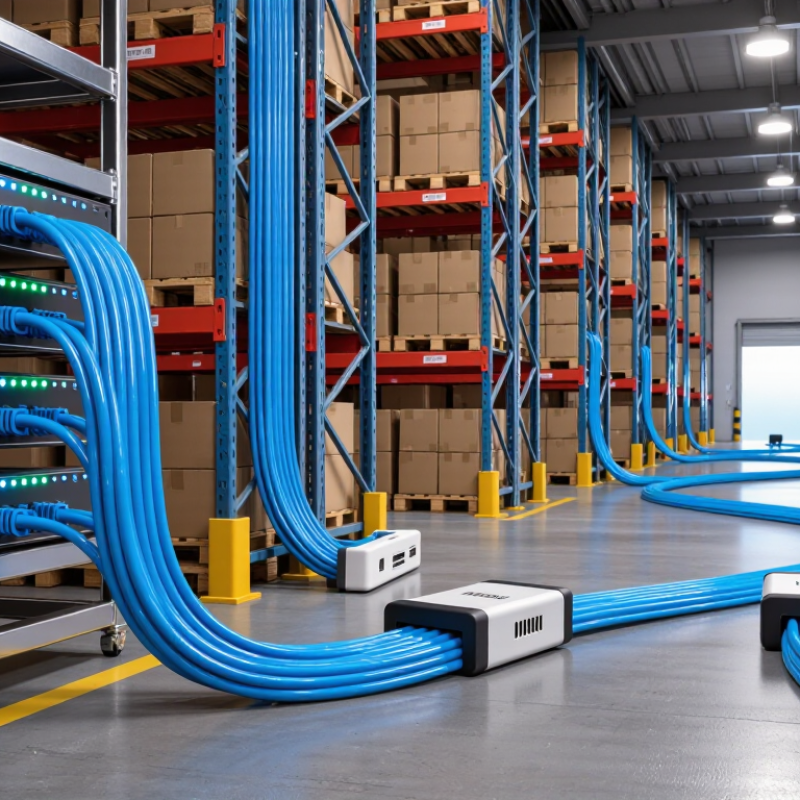
A Cat5 extender helps carry Ethernet data beyond the usual 100-meter limit of a single copper cable run. It receives a weakening signal, then regenerates it so data can travel along another cable section. Think of a small office where a router sits near the entrance but a camera is mounted down a long hallway. An extender placed along the route can bridge that gap without replacing the entire cable path. The exact distance and supported speed depend on the extender, cable quality, and network conditions.
Power matters. Some extenders need a nearby outlet, while others can use Power over Ethernet if both the device and setup support it. Check the product’s stated distance at the speed you need; maximum range may come with a lower data rate. Cat5 cable condition also counts: tight bends, damaged connectors, and nearby electrical interference can cause unstable links. I would not treat a listed maximum as a promise. Real cable routes are rarely perfect. Not always. Test the connection at the far end with the actual devices in place, and watch for dropped packets or slow transfers before securing the installation.

2026 How to Choose the Best Cat5 Extender for Your Needs
Assessing Your Cable Length, Speed, and Device Requirements
Start by measuring the actual cable route, not the straight-line distance between devices. Include turns, wall runs, and patch cords. A route that looks simple on a floor plan can grow around doorways and furniture. The Telecommunications Industry Association’s ANSI/TIA-568.2-D standard sets a 100-meter maximum channel length for balanced twisted-pair cabling, typically including up to 90 meters of fixed cable and 10 meters of patch cords. Treat that as a design limit, not a promise that older cable will perform perfectly. Check connectors and cable condition, too. Small details matter.
Next, match the extender’s supported speed to both device ports and your real workload. IEEE 802.3 defines Ethernet speeds such as 100 Mbps for 100BASE-TX and 1 Gbps for 1000BASE-T; the slowest link component can limit the connection. Verify the extender’s speed at the intended distance, since advertised maximums may not reflect your installation. For cameras, access points, or other powered devices, confirm power support and total cable distance. Measure twice. Leave a little slack for routing changes, but avoid tightly coiling excess cable beside electrical wiring. A neat installation can still be the wrong one.
A standard Ethernet switch is often the simplest choice when a router needs to reach a nearby office or several wired devices. Run Cat5e cable to the switch, then connect computers, printers, or access points locally. A compliant Ethernet channel typically supports up to 100 meters, including patch cables. Check the cable rating and the equipment’s port speeds before buying. Simple, but easy to overlook.
For a camera or access point in a distant hallway, a PoE extender can carry data and power over the cable. Some models need power from the existing PoE line; others require a separate supply. Check the available PoE budget, since each added device uses power. Also confirm the extender supports your required network speed. Power has limits.
Point-to-point Ethernet extenders suit links between buildings or across cable runs that exceed ordinary Ethernet distance limits. They may use existing copper wiring, but performance depends on cable condition, interference, and the pair of units selected. For a small home, they can be more setup than necessary. I would test the route before committing: old cable sometimes looks fine but performs poorly under load.
| Extender Type | How It Works | Typical Use | Distance and Speed Considerations | Main Advantages | Limitations and Buying Checks |
|---|---|---|---|---|---|
| Active Ethernet repeater or extender | Receives and regenerates Ethernet signals, creating another copper Ethernet segment. | Connecting a device, access point, or small switch beyond the reach of one cable run. | Standard twisted-pair Ethernet channels are generally limited to 100 m per segment. The extender’s supported speed and total reach depend on its design and the number of segments. | Simple to deploy with standard Ethernet cabling; suitable for ordinary LAN traffic. | Check whether the unit supports 10/100 Mbps or Gigabit Ethernet. Each copper segment must meet the applicable cable and installation requirements; extra hops can add complexity. |
| PoE extender | Passes Ethernet data and Power over Ethernet (PoE) to a downstream device, sometimes allowing additional extenders to be connected. | Installing an access point, IP camera, or other PoE device where no nearby power outlet is available. | Often used to add roughly another cable segment, but supported reach, data rate, and PoE output vary by model and installation. Available power decreases with cable loss and device consumption. | Can extend both network connectivity and power without adding a local outlet. | Match the extender to the PoE standard, input power, output requirement, and the powered device’s load. Confirm whether the extender itself needs a separate power source and whether multiple units may be cascaded. |
| VDSL2 Ethernet-over-copper-pair extender | Uses VDSL2 modems at both ends to carry Ethernet traffic over a copper pair, often a spare pair in installed cabling. | Long links between buildings or rooms when replacing the cable is difficult and suitable copper wiring is already present. | Can reach beyond a standard 100 m Ethernet segment, but achievable speed falls as distance increases and depends strongly on cable type, condition, and electrical noise. Use the product’s distance-versus-rate specifications for planning. | May reuse existing copper wiring for a point-to-point link over a longer distance than ordinary Ethernet. | Usually requires a matched device at each end. It is not equivalent to a standard switched Ethernet link; verify pair compatibility, supported data rates, and whether the link is managed or transparent to the network. |
| Ethernet extender with a remote switch | Uses a long-reach link to a remote unit that provides multiple local Ethernet ports. | Connecting several wired devices in a remote office, workshop, or equipment area. | The long-reach link’s distance and bandwidth are model-specific. The remote switch shares its available uplink capacity among connected devices. | Provides multiple connection points at the far end and can reduce the need for separate long cables to each device. | Check uplink bandwidth, port speed, VLAN and management support if needed, and whether the remote unit requires local power or receives PoE. |
| Fiber link with Ethernet media converters | Converts Ethernet to optical fiber for the long-distance section, then converts it back to Ethernet at the far end. | Long building-to-building links, electrically noisy areas, or routes where electrical isolation is desirable. | Reach depends on the fiber type and optical equipment; fiber links can extend well beyond the 100 m limit of a standard copper Ethernet segment. | Immune to electromagnetic interference along the fiber and avoids a conductive copper connection between endpoints. | Requires compatible fiber, optics, and converters. It is an alternative to a Cat5-based extender rather than an extender that carries Ethernet over Cat5 for the entire link. |
| HDMI-over-Cat5/6 extender | Carries a video signal between a transmitter and receiver over twisted-pair cable. | Sending video from a media source to a display across a room or building. | Supported resolution, refresh rate, and cable distance depend on the specific system and cable quality. | Useful for video distribution where the product is designed for that purpose. | This is not an Ethernet network extender. Do not select it to extend LAN connectivity; check whether the system requires dedicated cabling and whether it supports network traffic at all. |
Planning note: A standard Ethernet copper channel is generally limited to 100 m. Actual extender reach and performance are product- and installation-dependent; verify cable category, connector quality, link speed, PoE budget, and environmental conditions before purchase.
Before buying a Cat5 extender, confirm what it extends: Ethernet data, Power over Ethernet, or another signal. These devices are not interchangeable. Check the port type at both ends, supported network speed, and whether the unit requires a specific cable category. A mismatch can leave you with a link light but unreliable performance.
Measure the actual cable route, including the path around doors or shelves. Stay within the extender’s stated distance and speed limits; long runs and older cable can reduce stability. Check both ends. Power matters. Some models use a local power adapter, while others draw power through the network cable. Confirm the available outlet and PoE requirements before installation. A common oversight is assuming an existing switch can power every device.
For installation, use intact cable with secure connectors, and keep it away from strong electrical interference where practical. Label each end before routing it. That small step saves time later. After connecting everything, test the network at the far end under normal use, not just by checking indicator lights. If the connection drops, inspect the cable path and power source first. Even a tidy installation can behave oddly when a cable is kinked or a connector is loose.
Match the extender to the path, not just its advertised distance. For a detached office, check link speed, cable-length rating, and power requirements at both ends. For cameras or access points, confirm PoE support and available wattage. A device that reaches farther but cannot maintain power is a poor fit.
IEEE 802.3 sets a 100-meter channel limit for common twisted-pair Ethernet. TIA-568 structured-cabling guidance typically allows a 90-meter permanent link, with patch cords making up the remaining channel length. Treat an extender’s longer-distance rating as device-specific, not a new universal cable limit. Check cable category and condition, too. Old wall runs, tight bends, and poor terminations can undermine stability. For video calls or surveillance, prioritize tested throughput and latency over headline speed. A printer or basic sensor may need less.
Tips: Measure the actual route, including slack. Test with the intended load before mounting the equipment. Keep a spare cable path if possible; a supposedly short route can take an unexpected detour. Slightly inconvenient, but worth considering.
Matching extender features to your intended use starts with the network speed your devices require.
The chart shows nominal data rates for common Ethernet standards: 10BASE-T, 100BASE-TX, and 1000BASE-T. These standards support channel lengths up to 100 m when installed with compliant cabling and equipment. For an extender, check that its supported speed, cable type, distance, and any PoE requirements match your devices. Actual throughput may be lower than the nominal link rate.

