






Choosing a Smart Switch in 2026 is less about chasing the newest app and more about matching controls to real routines. Picture a hallway light that turns on as you arrive, or a bedside switch you can reach without searching in the dark. Small details matter. So do wiring, Wi-Fi reliability, dimmer compatibility, and whether a switch needs a neutral wire. A polished product page cannot answer every question about an older home.
Smart-home analyst Avi Rosenthal has long emphasized practical value over technology for its own sake. As an editorial paraphrase of that principle: “A connected home should simplify daily routines, not complicate them.” That is a useful test for this guide. A switch should respond consistently, work with your preferred voice assistant, and remain usable when the internet is down. Check the product specifications and installation requirements before buying; smart controls are not one-size-fits-all.
The picks ahead compare options for different rooms, budgets, and comfort levels, from straightforward on-and-off controls to dimmers with scheduling and app features. We also consider setup, ecosystem support, and everyday usability—not just feature counts. Some homes may need a compatible hub; others may work directly over Wi-Fi. There is no perfect switch for every wall, and that is worth admitting. The best choice is the one that fits your wiring, habits, and tolerance for troubleshooting.
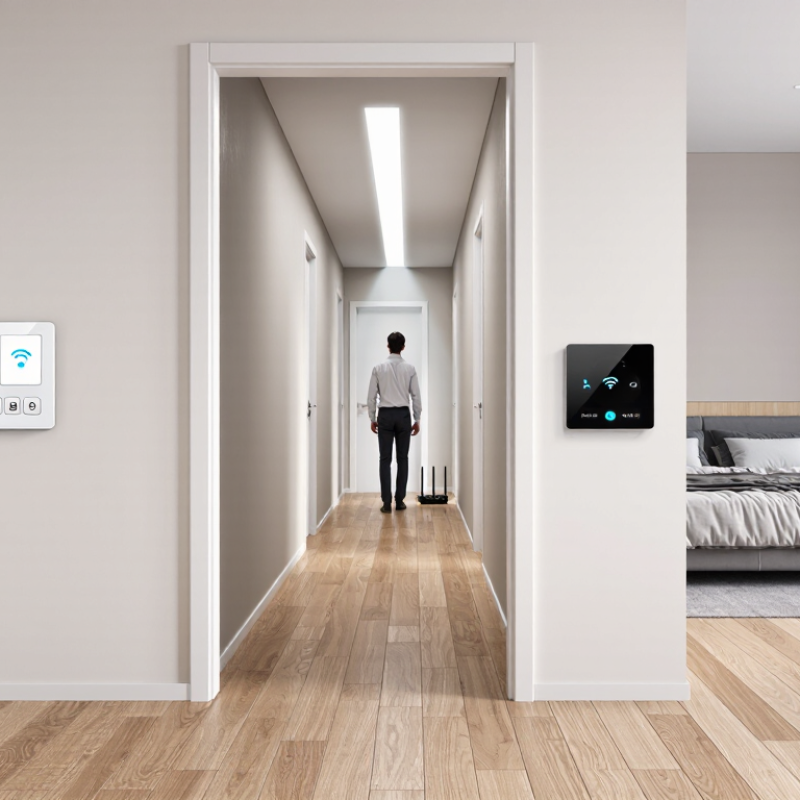
A smart switch controls a light circuit from the wall while adding remote or automated control. Unlike a plug-in device, it usually replaces the existing Wall Switch and connects to the home’s electrical wiring. Tap the switch, use an app, or set a schedule to turn lights on and off. Some systems communicate over Wi-Fi; others use a separate hub or a low-power wireless signal. The exact setup affects how the switch responds when the internet is unavailable.
Schedules can turn porch lights on at dusk or dim a living-room fixture before bedtime.
That sounds simple. But compatibility matters.
Check the switch’s voltage, load rating, wiring requirements, and whether it supports dimming. Some models need a neutral wire, which older homes may not have. Smart bulbs can also behave unpredictably when a wall switch cuts their power. In practice, matching the switch to the fixture is more useful than choosing extra features.
I still find that a tiny delay between tapping and seeing the light change can feel odd. Small detail. For uncertain wiring, consult a qualified electrician rather than guessing.

2026 Best Smart Switches for Every Home?
Which Smart Switch Types Suit Different Wiring and Lighting Systems
The right smart switch depends less on the app and more on the wires behind the wall. Open the switch box and check for a neutral wire, often a white bundle pushed to the back. Many newer homes have one; some older homes do not. Neutral-required switches can be a straightforward choice when that wire is present. For older wiring, select a model explicitly designed to work without a neutral, and follow its load limits. A quick glance is not enough. If the wiring is unclear, ask a qualified electrician before buying.
For stairs or long hallways, look for a switch rated for three-way circuits, where two wall locations control one light. Dimmers need extra care: LED bulbs may flicker, buzz, or fail to dim smoothly unless the switch and bulbs are compatible. The U.S. Department of Energy’s Energy Saver guidance says LEDs use at least 75% less energy than incandescent lighting, so compatibility matters in homes making that change. A dimmer is not automatically a good fit. Check the bulb’s dimming label and the switch’s minimum load. I still find this part easy to overlook. For fluorescent fixtures, low-voltage systems, or multi-gang boxes, confirm the switch supports that exact setup before installation.
Choosing a smart switch starts with the wiring behind your wall plate. Check whether your switch box has a neutral wire, and confirm the switch supports your circuit type. Some homes use multi-way controls, where two switches operate one light. Compatibility is not glamorous, but it matters.
Then compare features you will actually use. Dimming needs to work with your bulbs, especially low-wattage LEDs. Check whether schedules, voice control, or remote access require a separate hub. A low sticker price can become less attractive after adding that equipment. Compare the full cost, including extra switches and installation. One easy mistake is buying for a feature list instead of your daily routine. I’d rethink that choice if the controls feel awkward after a week.
Tips: Photograph your wiring before removing the old switch, and label each wire. Verify the product’s load limits and installation instructions. If the wiring is unclear, ask a qualified electrician rather than guessing. Small details matter. Compare warranty terms and update support, too; a polished app today does not guarantee useful support later.
Compare typical per-switch price ranges by switch type. Prices are approximate US retail estimates; actual prices vary by product and retailer.
How to compare: Check whether a switch requires a neutral wire, a hub, or a compatible dimmable bulb before comparing prices. Matter support can simplify cross-platform setup, but compatibility still depends on the switch, controller, and home network.
A smart switch should fit the room, wiring, and control system—not just the budget. In a hallway, reliable scheduling and a physical button matter more than advanced scenes. In a bedroom, dimming can make evening light gentler, but only when the switch and bulbs support the same dimming method. Kitchens may benefit from clear on/off controls and timers. Small details count.
Tips: Check whether your wall box has a neutral wire before buying. Confirm platform compatibility, Wi-Fi or hub requirements, and dimmer support. If the wiring is unfamiliar, ask a qualified electrician rather than guessing.
For a tighter budget, focus on dependable manual control and basic schedules. Midrange options may add energy reports or multi-way control, which helps when one light has switches at both ends of a room. Higher-priced models can offer scene controls or broader integrations, but extra features are useful only if your household will use them. Compatibility can be surprisingly fussy. I would check the product’s wiring diagram and supported devices before comparing app features; I have learned that a polished app cannot fix an incompatible circuit. Also consider who needs access, how the switch behaves when internet service drops, and whether its indicator light feels too bright at night.
| Use Case | Switch Type | Good Fit For | Typical Wiring Considerations | Smart-Home Connectivity | Planning Budget (USD) | What to Check Before Buying |
|---|---|---|---|---|---|---|
| Everyday on/off control | Single-pole smart switch | Bedrooms, hallways, and other lights controlled from one wall location | Many models require a neutral wire; confirm the wiring in the switch box and the product instructions. | Models may use Wi-Fi, a dedicated hub radio, or Matter over a supported network. | $15–$35 per switch | Check the rated voltage and load type, such as LED, incandescent, or compatible lighting drivers. |
| Adjustable lighting | Smart dimmer switch | Living rooms, dining rooms, and bedrooms where adjustable brightness is useful | Neutral-wire requirements vary. Some installations also need a compatible dimmer arrangement at each control point. | Choose a model compatible with the household’s preferred app or hub; Matter support is model-specific. | $20–$50 per switch | Confirm that each bulb is dimmable and that the dimmer supports its bulb type and total load. |
| Two-location light control | Smart 3-way switch or compatible switch-and-companion set | Stairways, long hallways, and rooms with two wall controls for the same light | Existing 3-way wiring can differ by installation. Use a setup specifically designed for multi-location control. | Check whether the companion control must be wired, paired wirelessly, or connected through a hub. | $25–$65 for a basic setup | Verify compatibility with the existing circuit and read the wiring diagram before purchase. |
| Older switch boxes without a neutral | Neutral-free smart switch, where supported | Renovation projects or locations where the switch box lacks a neutral conductor | Only suitable when the specific switch supports the circuit. Some designs require a bypass at the light fixture. | Available connectivity varies; confirm the required hub, network, and control method. | $25–$60 per switch | Check minimum load requirements, LED compatibility, and whether a bypass or special wiring is required. |
| Ventilation and fan control | Fan-rated smart switch or fan controller | Bathrooms, utility rooms, and ceiling fans when the controller is rated for that exact load | Fan motors and light kits may need separate controls. A lighting dimmer is not a substitute for a fan-rated controller. | Confirm whether the controller offers app control, scheduling, voice-assistant integration, or hub support. | $25–$70 per control | Match the device to the fan or motor type, current rating, and any separate light circuit. |
| Lower-cost smart control without replacing a wall switch | Smart plug for a plug-in lamp or appliance | Table lamps and other compatible plug-in devices in living areas or bedrooms | No wall-switch wiring is needed, but the connected device must be suitable for plug-in control. | Check for Wi-Fi, hub, or Matter support and confirm that the required network is available. | $10–$30 per plug | Check the plug’s electrical rating. Do not use it with loads the device instructions exclude. |
Notes: Budget figures are approximate planning ranges per device or basic setup, before installation, and vary by market and features. Smart-home compatibility depends on the exact model, required hub or network, and supported functions. Electrical wiring requirements differ by home and region; consult the product instructions and a qualified electrician when needed.
Before buying a smart switch, inspect the wall box, not just the product page. Check whether the circuit has a neutral wire; some switch designs need one, while others do not. Turn off the breaker and verify the power is off before opening the box. If the wiring is unclear, stop and ask a qualified electrician. A small wiring mistake can create a real hazard.
Compatibility matters. Match the switch to the circuit voltage and the type of load, especially with dimmable LED bulbs. Check the switch’s rated load, box depth, and wireless requirements. A crowded box can make installation awkward, and a weak signal may leave the switch unreliable. It is easy to overlook the router’s location. That’s where plans get shaky.
The U.S. Energy Information Administration’s 2020 Residential Energy Consumption Survey collected data from 18,496 households and represented about 123.5 million U.S. homes. That scale is a reminder that wiring conditions vary widely; one installation guide cannot cover every house. Record which breaker controls the circuit, photograph existing connections only after power is off, and label wires before disconnecting them. Take your time. Also check whether the switch works with your chosen voice assistant or hub before purchasing. Smart control alone does not guarantee lower energy use; schedules and habits still matter.

